This Christmas, Gift a Custom Digital Coloring Book
With Chroma’s Photo/Sketch to Coloring Page feature you can turn family photos, pet pictures, or old snapshots into a digital coloring book your loved one can enjoy right on their tablet. Add a Christmas flair to non-Christmas photos and watch those surprised faces!
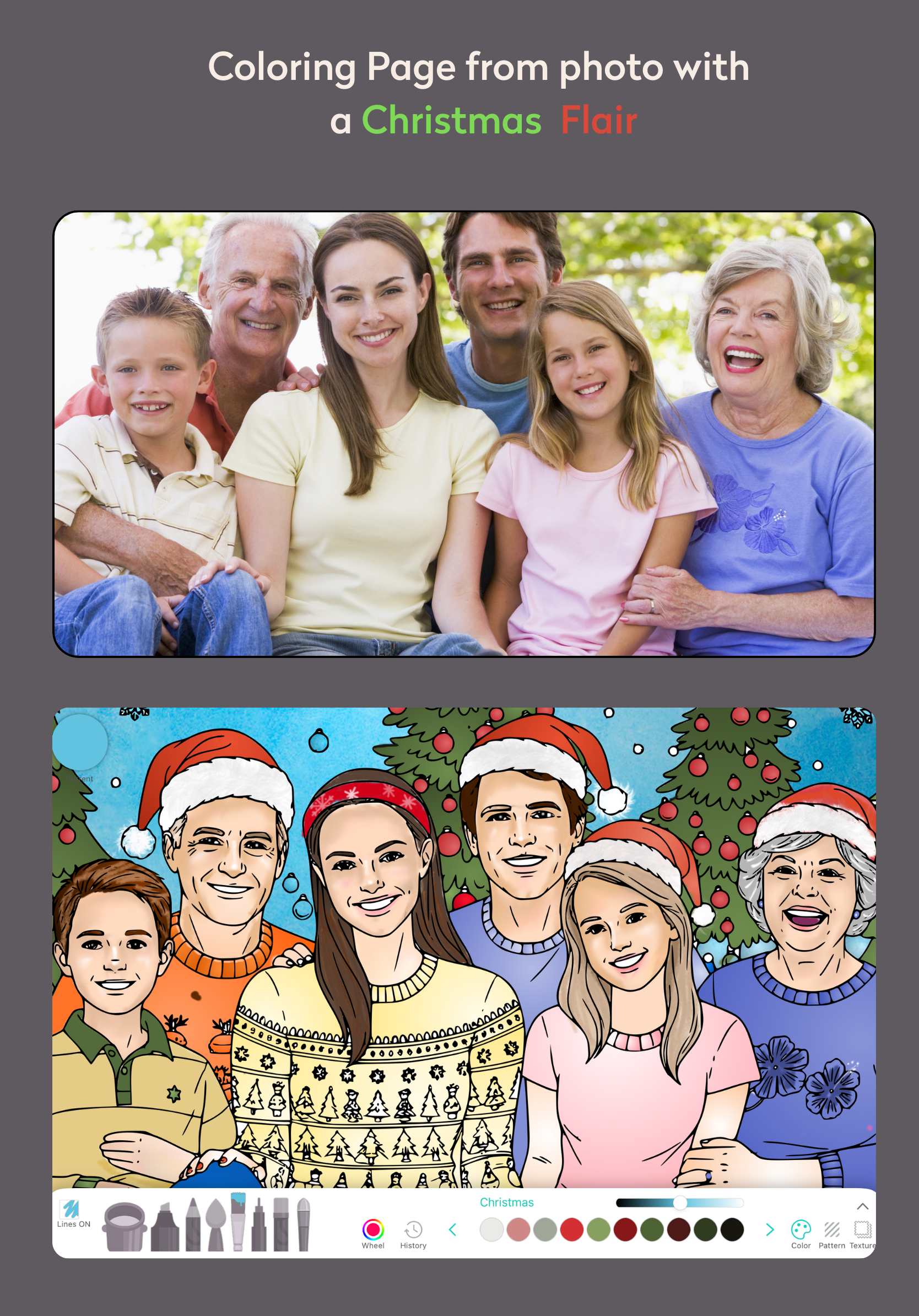
Color the photos in Chroma and share the coloring process with your family - and see that laughter come alive.
How to make the gift
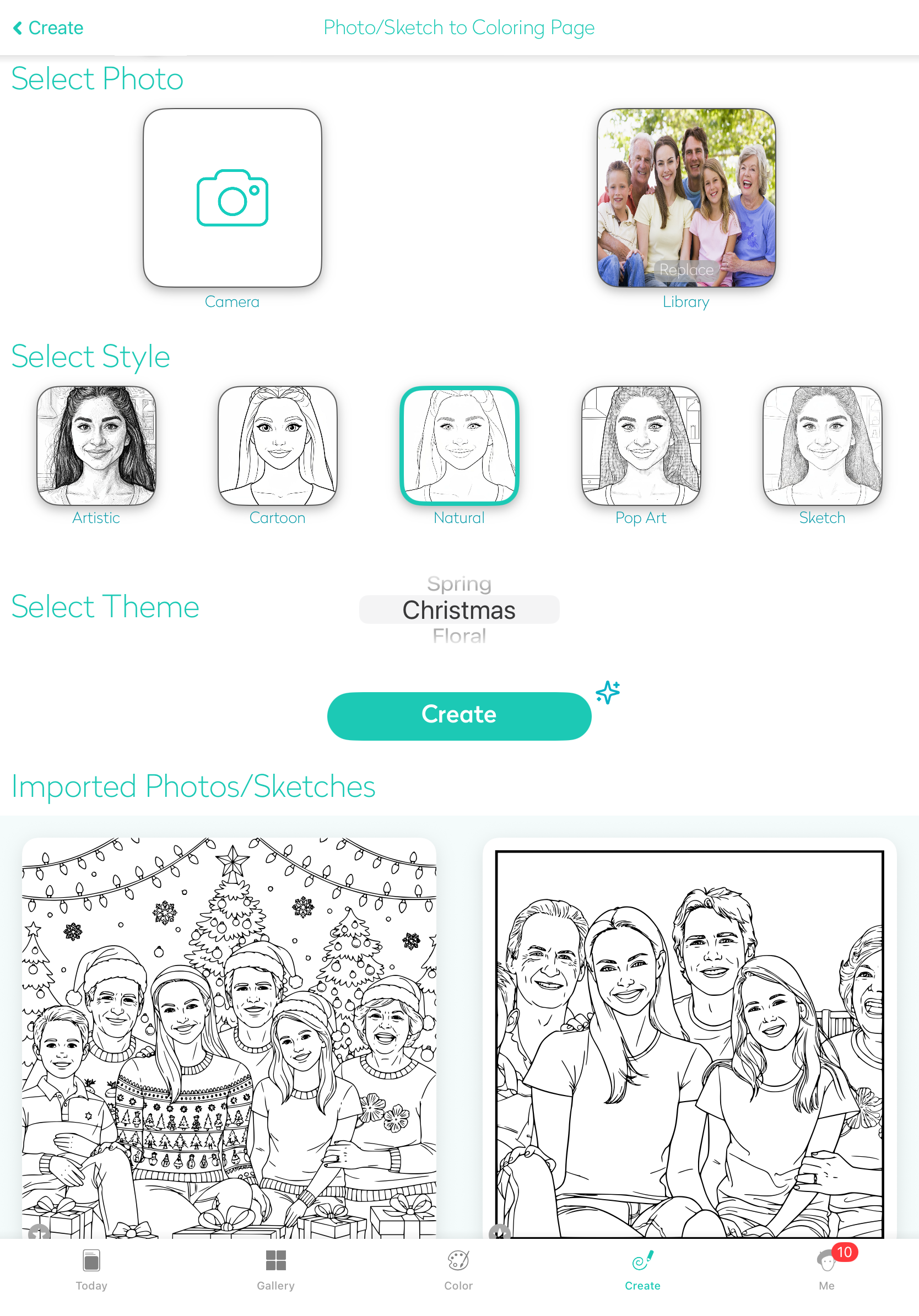
Open Chroma and go to Create → Import and Color Page.
Under Select Photo, choose a favorite family, pet, or holiday picture.
Pick a Style (Cartoon and Natural are great for portraits).
Choose the Christmas theme for a festive frame and details.
Tap Create to generate the coloring page.
Quickly erase any extra background lines so it’s simple and relaxing to color.
Repeat with several photos to build a whole set of meaningful pages.
You can now color the pages, save them or print them.
Ideas for a Christmas gift set
Here are a few themed “books” you could make with this feature:
“Our Christmas Through the Years” - Pages from old holiday photos going back decades.
“Grandkids & Great‑Grandkids” - Portraits of each child, with their name on the page (you can add text outside the app if you’re printing, or just keep a list).
“Places We’ve Loved” - The house they grew up in, favorite vacation spots, the family cabin, etc.
“Pet Companions” - Every beloved dog, cat, or other pet turned into a page.
You can mix and match to build something truly personal.
This Christmas, instead of a generic coloring book, you can gift something much more personal: a digital coloring book made from the memories you share ❤️